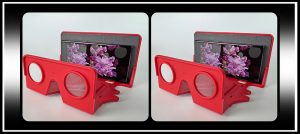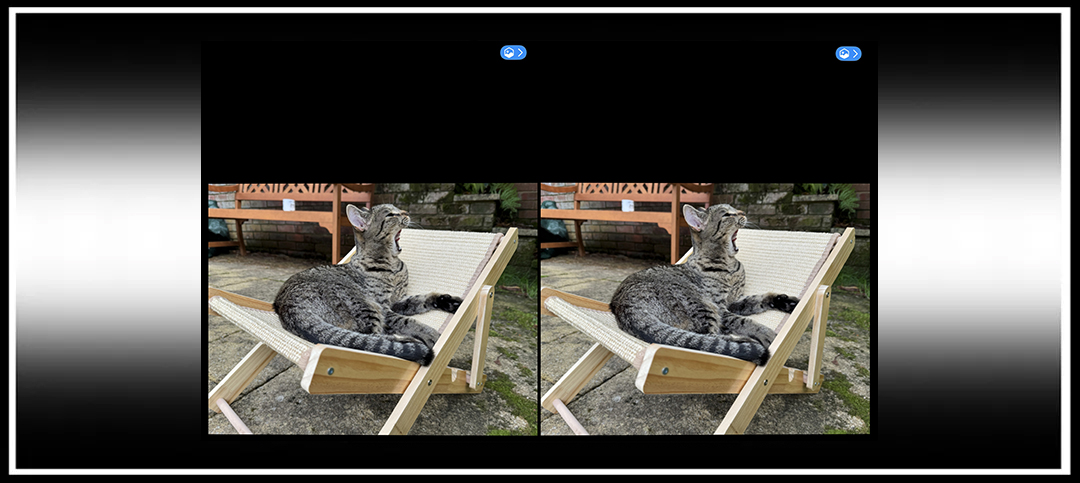
The recent iOS 26 update has brought with it a new feature to the iPhone Photos app which allows any photo to be converted to a ‘spatial scene’, described as a dynamic three-dimensional picture.
The AI-powered feature ‘brings to life’ any photo, including those captured spatially or as mono images. It works by separating the foreground and background in the image using automatically generated depth maps, and can be used with iPhone models 12 onwards. As you may expect, some images work better than others, and they recommend to have a clear subject, but it’s still exciting to have a ‘Looking Glass’ on your iPhone without having to pay fees for each conversion.
I’ve tried a few photos, and, so far, have found most of the Spatial-captured images seem to work better than the mono, but every now and then there are some which are amazing (especially cat ones). Once converted, you tilt your iPhone side to side or up and down to get quite a subtle three-dimensional effect. Like with stereoscopic photography, some scenes work better than others, especially when you have a clear subject, whilst others leave a lot to be desired, with the foreground confused with the background, but at least it’s an exciting start.
Macrumors also say this feature can be used with the iPhone’s lock screen wallpaper, and it’d be rude not to recommend a kitty!
Step-by-Step Guide to Using ‘Spatial Scenes’
- Update to iOS 26 (this is supposed to be possible with iPhone models 12 onwards).
- Open your ‘Photos’ App.
- Open a suitable image.
- Click a little icon near the top right to select ‘Spatial Scene’
- Tilt your phone around to see the three-dimensional image.
Ironically, if you’re trying to use a stereoscopic side-by-side image, you’ll either need to use just half of it, or convert it to a ‘Spatial’ photo, which can be done using the i3DSteroid App. Using the compatible version of the app, just open the stereoscopic photo, and save as a Spatial Photo (bottom save option).
If you’d like to make a side-by-side stereoscopic image from a converted ‘Spatial Scene’ image, you can carefully take screenshots of the ‘Spatial Scene’ as you tilt your phone side to side, and then use the i3DSteroid app to make a stereo-pair from the screen shots.
Mono Image Example

Spatial Image Example


I’ll be interested to hear what other stereo geeks think of this new feature, if it’s something you’ll use regularly beyond the initial ‘that looks cool’, and also see if Apple has plans to do anything further with this feature.
I hope you have lots of fun with it if you’ve not tried it already.

Copyright © The Stereoscopy Blog. All rights reserved.
News
Berita Olahraga
News
Berita Terkini
Berita Terbaru
Berita Teknologi
Seputar Teknologi
Drama Korea
Resep Masakan
Pendidikan
Berita Terbaru
Berita Terbaru
Berita Terbaru